 Labels Boss
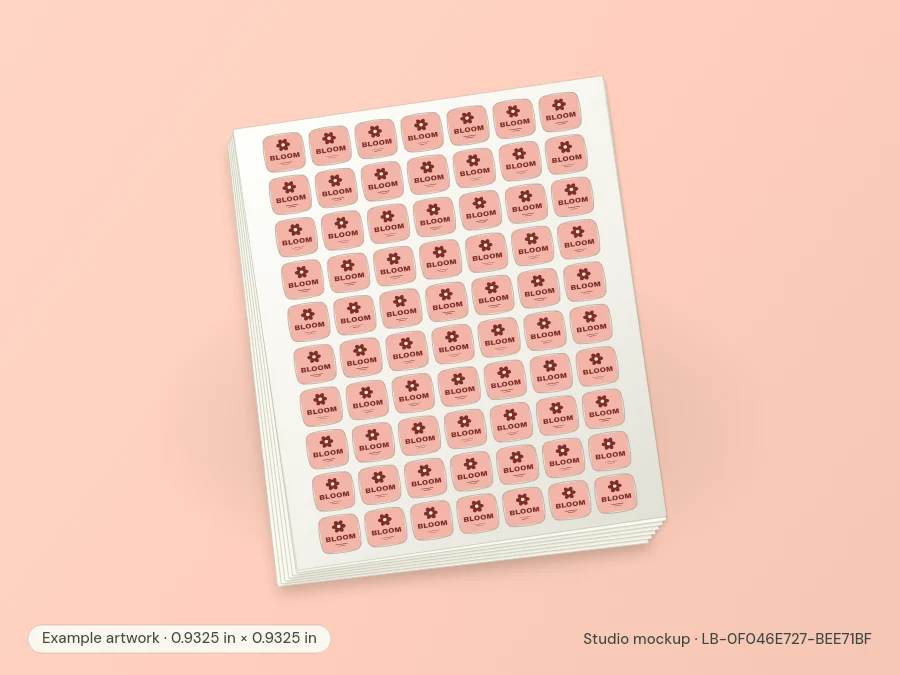
Labels Boss product illustration · Use the specifications below to check the fit.
0.9325″ × 0.9325″ printed sheet labels
Order this layout with your own artwork. Each 8.5" x 11" sheet carries 70 labels. Choose the material and order quantity for your print run.
Download templateOpen in Label Designer
Configure a custom print run
Product specifications
- Labels Per Sheet
- 70
- Shape
- Custom die-cut
- Height
- 0.9325"
- Length
- 0.9325"
- Sheet Size
- 8.5" x 11"
- Horizontal Spacing
- 0.1251"
- Vertical Spacing
- 0.1251"
- Top Margin
- 0.275"
- Bottom Margin
- 0.2741"
- Left Margin
- 0.6112"
- Right Margin
- 0.6114"
- Horizontal Pitch
- 1.0576"
- Vertical Pitch
- 1.0576"
- Dimensions
- 0.9325" x 0.9325"
- Format
- Printed sheets
- Sheet layout
- LB-0F046E727
Ordering information
Choose your format and material, then use the Label Designer to add text, graphics, or your own artwork. Review the file at its final size before submitting your order.
When ordering opens, qualifying orders placed by 3 PM CT ship the same day. The 100% satisfaction and 30-day money-back guarantees apply to purchases once ordering opens.
Request samplesRead the returns policyAbout this label
How many labels are on each sheet?
This layout has 70 labels per sheet on 8.5" x 11" stock. Multiply the sheet count by 70 to calculate the number of labels in a run.
What size should my artwork be?
Set the finished label to 0.9325" x 0.9325". Review the shape and corner treatment before positioning text near an edge. Check your artwork at the intended print size.
Does pricing change by material?
This product has 9 configurations. Choose the material or finish first, then compare the total for your order quantity in the price table.